Many small teams and online businesses use GoHighLevel to manage sales leads, messages, and conversions, while WhatsApp remains one of the most popular channels for customer communication, so it’s natural to ask how to connect the two effectively. To achieve this, users typically rely on third-party integrations, APIs, or automation tools that bridge messaging data between platforms, allowing conversations to sync and workflows to trigger automatically; by setting up a proper High level WhatsApp connection, businesses can centralize customer interactions, respond faster, and keep their sales pipeline organized without switching between multiple apps.
In this guide, you will learn about the main association methods, the preparations before you begin, and the typical setup process.
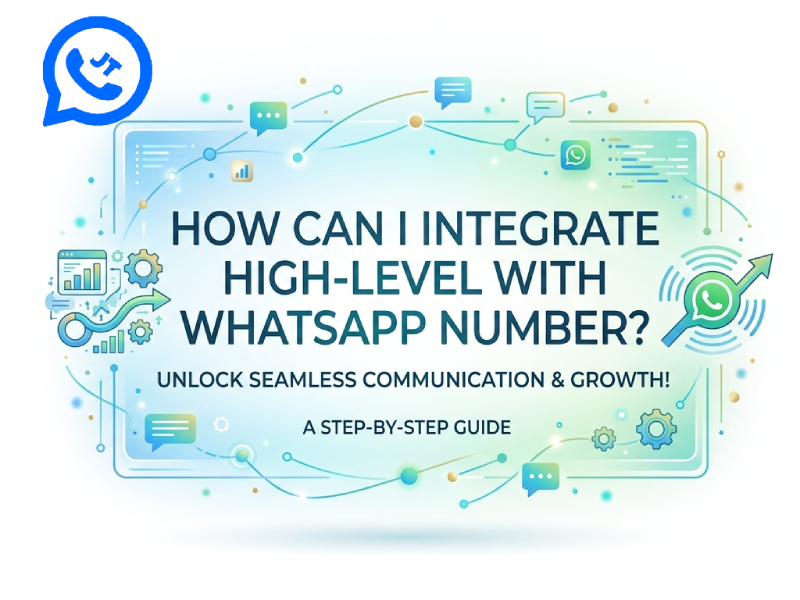
Why Connect HighLevel with WhatsApp?
Connect GoHighLevel to WhatsApp to integrate your communications and customer management into one platform, making it easier to handle chats, sales leads, and follow-ups without constantly switching between different apps. With smoother workflows and centralized data, businesses can improve response speed and customer experience, and tools like JT WhatsApp 2026 can further enhance messaging flexibility and feature support within this unified system.
A key advantage is the faster response time. WhatsApp messages are displayed directly in HighLevel, allowing you to reply faster and keep conversations organized. This will be very useful if you handle a large number of customers every day.
Another advantage is contact tracking. Each message can be linked to a contact’s profile, so you can view past chat history, notes, and actions in one view. This helps you get to know each customer more easily and continue the conversation smoothly.
It also helps to achieve automation. You can set up simple processes, such as sending a welcome message when a new sales lead contacts you, or following up after a specific time. This reduces manual operations and keeps communication flowing even when you’re busy.
In addition, this setting also helps with team collaboration. If multiple people are processing messages, each person can see the same conversation history. This avoids repeating replies and ensures clear and unambiguous communication.
Connecting HighLevel with WhatsApp can streamline your workflow, save time, and help you manage customer interactions in a more organized way.
What You Need Before Integration
Before connecting GoHighLevel to WhatsApp, we recommend that you do some preparatory work. This will make the setup process smoother and prevent errors from occurring later.
You need a valid WhatsApp number. The number must be active and able to receive messages. In many cases, it’s best to use a number that you don’t often use for private chats, especially when you plan to use it for business communications.
Please ensure you have full access to the HighLevel account so you can smoothly connect tools like WhatsApp go high level and manage your setup without issues; you should be able to adjust settings, add integrations, and create workflows as needed, and if you are working in a team, make sure you have the appropriate permissions to avoid any limitations during the process.
You will also need a WhatsApp API provider or a supported service. This is important because HighLevel is not usually directly connected to WhatsApp. The provider acts as a bridge between the two systems.
Common Ways to Integrate
There are several practical ways to connect GoHighLevel with WhatsApp. The choice of which method to use depends on the level of control you want and how simple you want the setup process to be.
1. Using WhatsApp API Providers
This is the most stable and widely used method. You need to work with a service provider that offers access to the WhatsApp API.
Typical steps include:
- Register your WhatsApp number with the provider
- Complete basic business verification
- Get API access details
- Connect these details to HighLevel
Once the connection is successful, you can send and receive messages in HighLevel. You can also build simple processes, such as automatic replies or follow-up messages.
This option is ideal if you need more sophisticated settings and plan to handle a large volume of messages.
2. Using Automation Tools
If you prefer a simpler setup, automation tools can help you connect the two platforms without requiring much technical work.
Popular options include:
- Zapier
- Make
With these tools, you create “triggers” and “actions.” For example:
- When a new WhatsApp message arrives → create or update a contact in HighLevel
- When a new lead is added in HighLevel → send a WhatsApp message
This method is easier to start with, but it may have limits if you need more advanced control.
3. Using Third-Party WhatsApp Integrations
Some services are specifically designed to connect WhatsApp with CRM tools such as HighLevel. These tools typically offer ready-made connectivity and dashboards.
They may include:
- Chat syncing between WhatsApp and HighLevel
- Contact management
- Simple message automation
This option falls somewhere between API and automation tools. It’s simpler than using the API directly, but it usually offers more functionality than basic automation tools.
Basic Setup Steps
The exact steps depend on the provider, but the process usually follows this order.
Step 1: Connect Your WhatsApp Number
Link your number to a WhatsApp API provider and complete verification.
Step 2: Link to HighLevel
Use API keys, web-hooks, or built-in integration options to connect both systems.
Step 3: Test Messaging
Send a test message from WhatsApp and check if it appears in HighLevel.
Step 4: Build Simple Flows
Create basic automations like welcome messages or quick replies.
Things to Keep in Mind
When setting up the connection between GoHighLevel and WhatsApp, a few additional details can make the process smoother and facilitate long-term management.
Choose the right number from the beginning. It’s best to use a stable number that is relevant to your business. Changing your number later may cause connection interruptions and affect your message flow.
Keep your contact list neat and organized to get the most out of your workflows, especially when using tools like Gohighlevel WhatsApp integration. Ensure that names, numbers, and labels in HighLevel are clear and legible, so every contact is easy to identify at a glance. A clean contact list helps automated processes run smoothly, reduces confusion during campaigns, and avoids sending incorrect information to the wrong people, ultimately improving both efficiency and communication accuracy.
Test each step before the official launch. After connecting to the system, send some test messages bidirectionally. Check if a reply has been received, if the contact has been created correctly, and if the message has been stored in the correct location.
Another key point is to start with simple automated processes. For example, start with a basic welcome message or a quick reply. Adding too many steps at once will make it difficult to track down errors or resolve problems.
You should also pay attention to the message sending time. Sending too many messages in a short period of time can make users feel uncomfortable. Try to stagger your reply times to make the conversation more natural, smooth, and easier to understand.
Check your settings regularly. As your number of contacts grows, your needs may change. Please take the time to adjust your processes, update your messages, and improve how you handle conversations.
Benefits After Integration
Once HighLevel is linked to your WhatsApp number, your daily workflow will become much smoother. You can manage most of your conversations in one place without having to switch between different apps, saving time and reducing errors.
One significant advantage is centralized communication. All customer messages and their contact information are displayed in HighLevel. This makes it easier for you to understand each conversation and respond in a more organized way.
Another advantage is the faster response time. You can reply directly from the control panel without having to open WhatsApp separately. Some settings also support quick replies or templates to help you answer common questions more efficiently.
In addition, you can better track sales leads. Each message can be linked to a contact, so you can see where each person is in the sales process. This is very useful for follow-up, reminders, or simple sales steps.
Final Thoughts
Connecting a HighLevel account to a WhatsApp number isn’t a one-click process, but it can still be easily accomplished if the steps are followed correctly. Most users will choose an API provider or an automation tool to establish a connection.
You can create a setup that suits your needs by starting with simple configuration and testing each step. Over time, you can expand its automation capabilities and improve message processing.
Ultimately, this integration helps to consolidate communication and customer management onto a single platform, making your work more organized, efficient, and convenient.