In today’s world, instant messaging apps are more than just tools for chatting with friends; they also help us communicate across languages and national borders. WhatsApp is a popular instant messaging application that offers some additional features beyond the standard WhatsApp functionality, and in the 2026 JT WhatsApp latest version, users can enjoy enhanced tools that allow them to translate received foreign language messages instantly. Many users want to be able to translate these messages in real time, and this feature makes communication across different languages much smoother and more convenient.
1. Why instant translation is useful
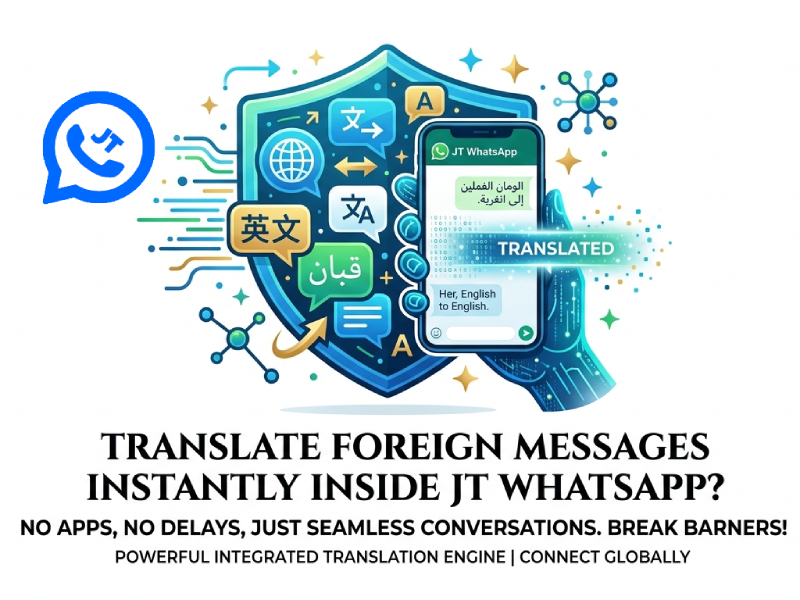
Receiving messages in a language you don’t understand can be confusing and sometimes even stressful. Without an instant translation feature, you might need to copy the text and open another application to translate it, which is not only time-consuming but also interrupts the conversation. JT WhatsApp’s built-in instant translation feature solves this problem, allowing you to understand message content instantly without leaving the chat window. If you’re wondering how to use the translate function in JT WhatsApp, it’s simple: just tap on the message and select the translate option, and the app will display the translation right there, keeping your conversation smooth and uninterrupted.
This feature is useful in several ways:
- Quick understanding: You can read the message immediately without having to guess its meaning or ask the sender for an explanation.
- Faster responses: When you understand the information immediately, you can respond faster and keep the conversation flowing.
- Better communication: Instant translation helps avoid misunderstandings, especially in work or business chats where clear communication is crucial.
- Learning opportunity: Reading the original text and its translation side-by-side can help you gradually learn new words or phrases in another language.
- Convenience in daily life: Whether you’re chatting with friends, family, or international colleagues, you don’t have to switch between apps or interrupt your conversation.
For example, if someone sends you a message in Spanish saying, “¿Qué tal tu día?” you can instantly see “How is your day?” without leaving JT WhatsApp. This saves time and makes chatting with people from different countries much easier.
2. How JT WhatsApp supports translations
Depending on the version you are using, WhatsApp offers a variety of convenient message translation options. One common feature is the built-in translation button. When you receive a message in a foreign language, you may see a small icon or option that you can click to instantly translate the message into your chosen language, which works smoothly even in JT WhatsApp no ads, eliminating the need to copy and paste the text into other applications.
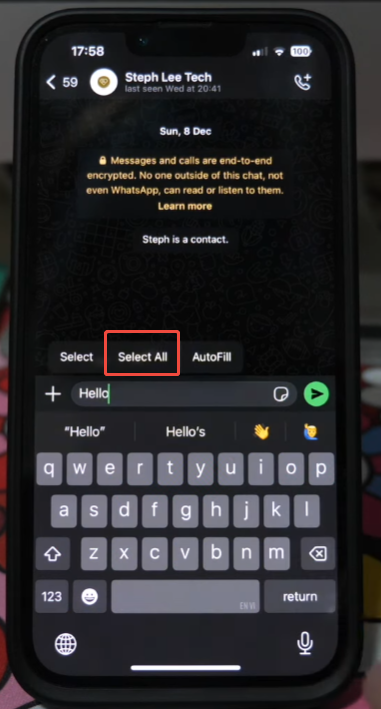
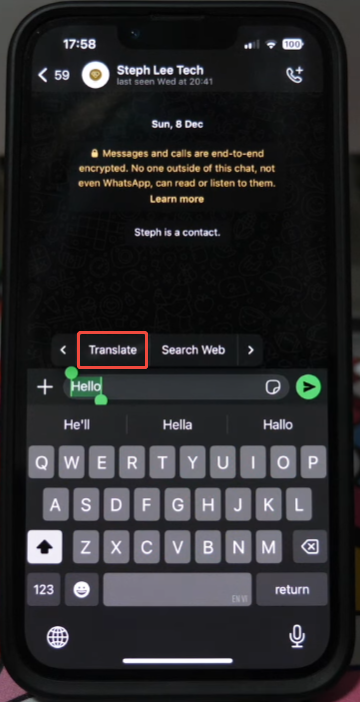
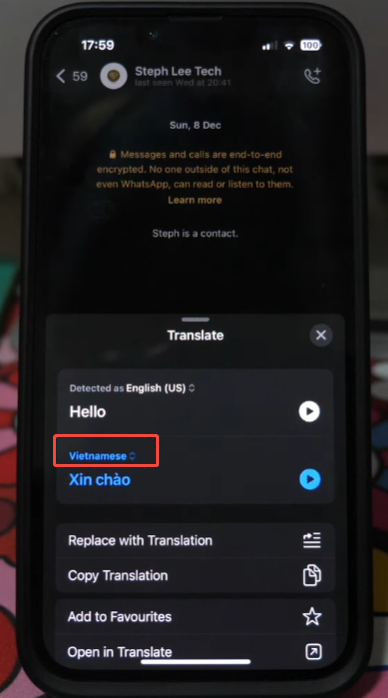
Another useful tool is the long-press menu. Long-press the message to bring up a menu with multiple options. One of the options is usually labeled “Translate” or “Translate to [your language]”. Selecting this option will automatically display the translated text below, or temporarily replace the original message.
Some versions of WhatsApp also allow you to set the default translation language. This means that every time you receive a message in a foreign language, the app will attempt to automatically translate it into the language you choose. This feature can save time and help keep conversations flowing and avoid interruptions.
In addition, the application can automatically detect the language of received messages, so you don’t have to manually select the source language every time. This will be especially helpful if you frequently chat with people who speak different languages.
3. Using external translation apps with JT WhatsApp
If your version of WhatsApp does not have a built-in translation feature, you can still use external apps to translate messages instantly. These apps can be used with WhatsApp to make it easier and faster to read foreign language messages.
A common choice is Google Translate. You can enable the “Click to Translate” feature in its settings. Once this feature is enabled, you don’t need to leave WhatsApp; simply copy the message, and a small translation bubble will appear on your screen. This way, you can immediately view the translated text in the chat window.
Another option is Microsoft Translator. This app supports multiple languages and can be translated by copying messages or using the app’s overlay mode. It works similarly to Google Translate, and it will be especially useful if you frequently communicate in languages that Google Translate cannot handle perfectly.
In addition, there are other instant translation apps that work directly with notifications. Some of these apps, including those compatible with JT WhatsApp APK download, even allow you to translate messages without opening WhatsApp, saving time and providing more convenience for users who receive a large number of foreign language messages every day.
Using JT WhatsApp with external applications ensures you always have a way to understand your messages, even if your application version doesn’t support built-in translation.
4. Tips for smooth translation
To make translation faster and easier, follow these tips:
- Keep your app updated: Please always use the latest version of WhatsApp. Developers typically improve translation functionality and fix bugs in new versions, which makes message translation more reliable.
- Enable notification previews: Some translation apps allow you to translate messages directly from notifications without opening WhatsApp. This can save time, especially when you receive a lot of messages in foreign languages.
- Check your internet connection: Real-time translation typically requires an internet connection. Please ensure a stable network connection so that the translated content loads quickly and avoids delays.
- Set your primary language: Most translation features allow you to select a default language. After selecting your primary language, the application can automatically translate received messages, saving you some extra steps each time.
- Use keyboard shortcuts or gestures: On some phones, you can use gestures such as long press or double-tap to select and translate messages. Learning these shortcuts can make translation faster and more convenient.
- Organize frequently used phrases: If you frequently receive messages containing repetitive phrases, you can save the translations to notes or a translation application. This way, you can quickly look up the information without having to translate the same text again.
- Test different translation apps: Not all translators can perfectly handle all languages. Trying out several different apps can help you find the one that best translates your frequently used languages.
By following these tips, you can translate information more smoothly and reduce the time spent switching between different applications. This way, you can focus on the conversation itself without worrying about understanding foreign language information.
5. Things to consider
Accuracy
Machine translation helps in understanding the general meaning of information, but it is not always perfect. Some words or phrases, especially slang or idioms, may be translated incorrectly. Therefore, it is essential to carefully verify important information to avoid misunderstandings.
Privacy
Using the translation function usually means that your message text will be sent to an external server for processing. If the content involves privacy or sensitive information, please consider whether you can accept this approach. Please be sure to review the privacy policy of the translation service you are using.
App Limitations
Different versions of JT WhatsApp may have different features. Some translation options may not be displayed on all devices or versions. Please ensure your application is updated and check that your version supports the instant translation tool you need.
Internet Connection
Most translation functions require an internet connection to function. Without a network connection, translation may fail or be delayed. Please be aware of this if you are in an area with unstable internet connectivity.
Language Support
Not all languages receive equal support. Some less commonly used languages may have incomplete or incorrect translations. When conducting important conversations, especially when dealing with technical or formal content, it is essential to verify the translation.
6. Best Practices for Translating Messages in JT WhatsApp
To get the most out of JT WhatsApp’s translation features, follow some simple practices:
- Respond carefully after translation: Machine translations can sometimes change the meaning. Take a moment to read the original message if it seems unclear.
- Use short messages for easier translation: Long texts may be difficult for instant translation tools to process accurately.
- Combine translation tools: If the information is confusing, try translating it using both the built-in translator and a trusted external application, and compare the results.
- Learn basic phrases: Knowing keywords in other languages can help you better understand the context and reduce your reliance on automatic translation.
- Keep translation tools up to date: Updates often improve language accuracy and add support for more languages.
By following these practices, you can make communication smoother, avoid misunderstandings, and take full advantage of JT WhatsApp’s translation features.