When forwarding messages on WhatsApp, a “Forwarded” label usually appears above the message. This small marker helps users know that the message was not sent directly by the sender. However, some WhatsApp users may find that the “forwarded” label disappears after a message is sent, which can make them wonder whether the WhatsApp forwarded label is working correctly or if there has been a change in how forwarded messages are displayed. Understanding why this label appears or disappears can help users better manage their message-sharing experience.
This situation often raises the question: Is this a new feature? Has the message content changed? Why does the “Forwarded” label disappear? The ways to disable the forwarded tag on messages in JT WhatsApp have been shared before. In this guide, we will explain why the “forwarded” tag disappears from WhatsApp users, what it means, and how message forwarding works.
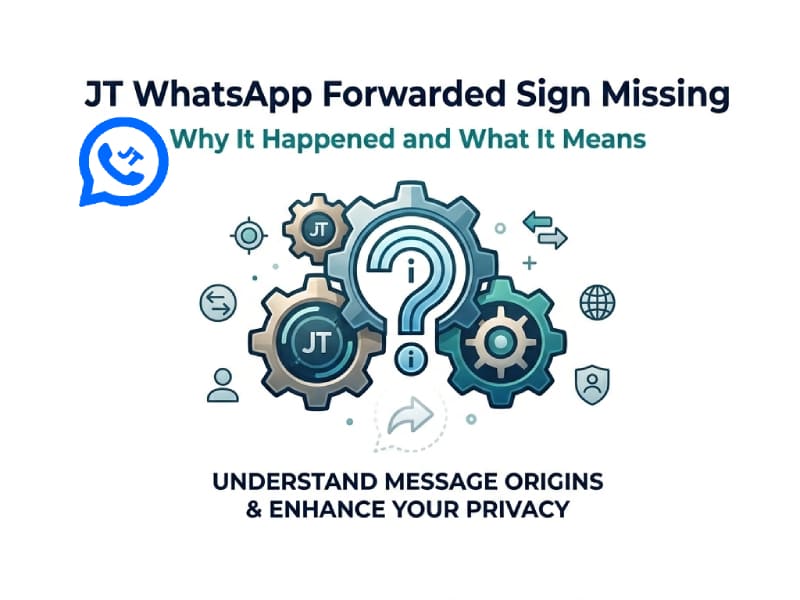
What Is the WhatsApp Forwarded Sign
Forwarding tags are labels that WhatsApp adds when a message is sent from one chat to another via the forwarding feature.
For example, if someone sends you a photo and you forward it to another contact, the recipient might see a “forwarded” label above the photo. This label indicates that the message came from another chat.
The purpose of this feature is to make message sharing clearer. It can help users understand whether the content is original or forwarded from other chats.
The forwarded sign can appear on different types of messages, including:
- Text messages
- Images
- Videos
- Voice messages
- Documents
- Stickers
However, the way the label is displayed may vary depending on the application version and the forwarding method.
JT WhatsApp Forwarded Sign Missing: Common Reasons
If the forwarding label is not displayed in JT WhatsApp, there may be several reasons. The absence of this tag does not always mean there is a problem with the message. This could be due to the way the message is sent or how JT WhatsApp processes the message.
1. The Message Was Copied Instead of Forwarded
The most common reason is that the message was copied and pasted manually.
WhatsApp treats these two actions differently:
- Forwarding: Keeps the original message information and may show the forwarded label.
- Copying: Creates a new message without the original forwarding information.
For example, if you copy a text message and paste it into another chat, WhatsApp will treat it as a new message. Therefore, the forwarding flag will not be displayed.
This also applies to images or videos that have been saved and then re-uploaded. The system may treat it as a newly shared file.
2. JT WhatsApp Handles Forward Information Differently
JT WhatsApp offers more customization options compared to the official WhatsApp app. Some users may find that the display of certain message details is different.
The display of the forwarding flag depends on how the application processes message data when sending the message. If JT WhatsApp changes how messages are sent or displayed, the forwarding flag may not appear in some cases.
This relates to how the message is presented, rather than the actual content of the message.
3. The Message Has Been Edited Before Sending
Another reason the forwarded sign may disappear is message modification.
When users change the content before sharing, such as:
- Editing text
- Adding new captions
- Creating a new sticker
- Uploading media again
The application may identify it as a new message rather than a forwarded message.
The forwarding tag is associated with the state of the original message. This label may no longer be displayed if the original information changes.
4. Different Message Types May Work Differently
Not every type of content behaves the same way when shared.
For example:
| Message Type | Forwarded Sign Possible |
| Text message | Usually appears when forwarded directly |
| Photo | Depends on forwarding method |
| Video | Depends on whether it is forwarded or uploaded again |
| Document | May keep forwarding information |
| Copied content | Usually no forwarded sign |
Understanding the difference between forwarding and resharing can explain many cases where the label disappears.
What Does Missing Forwarded Sign Mean
The absence of a forwarding tag simply means that the message no longer carries the original forwarding tag.
This does not automatically display the source or creator of the message. This label only indicates whether WhatsApp detected that the message was forwarded through its built-in forwarding system, even when using features like WhatsApp auto forward. It only shows the forwarding status and does not provide details about who originally sent the message or where it came from.
For JT WhatsApp users, the lack of a forwarding tag usually means that the message is treated as a new message or shared in another way.
Here are some common situations:
- A user copied the message manually.
- A photo was saved and uploaded again.
- Text was rewritten before sending.
- The forwarding system handled the message differently.
The message content itself remains separate from the forwarded label.
How to forward WhatsApp message
Forwarding WhatsApp messages lets you quickly share content from one chat to another without having to type or upload it again.
Follow these steps:
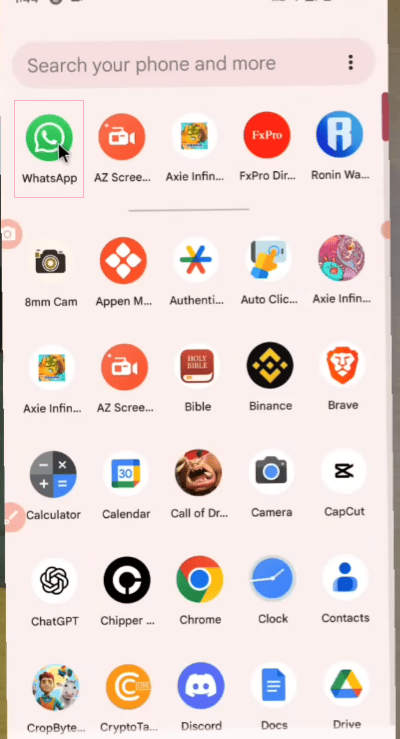
Step 1: Open a WhatsApp Chat
Open the conversation that contains the message you want to share.
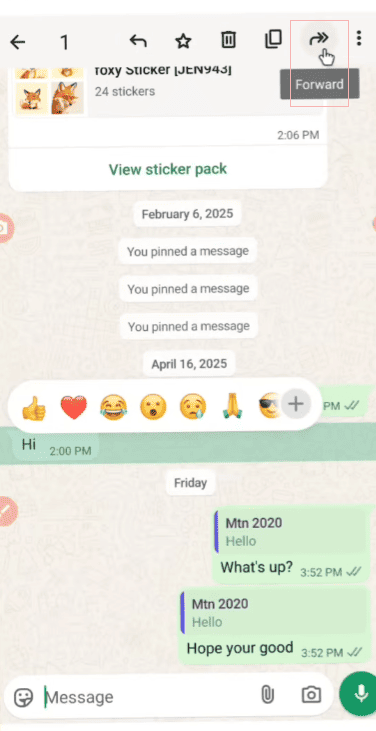
Step 2: Select the Message
Press and hold the message until the action menu appears.
You will see different options depending on the message type.
Step 3: Tap the Forward Option
Choose the forward icon from the menu.
After selecting it, WhatsApp will show your contact list and available chats.
Step 4: Choose a Contact
Select the person or group where you want to send the message.
You can choose multiple chats if you want to share the same message with several people.
Step 5: Send the Message
Tap the send button.
The message will appear in the selected chat. If WhatsApp keeps the forwarding information, the receiver may see the forwarded label.
Forwarded Message vs Copied Message in JT WhatsApp
Many users confuse forwarding and copying because both methods can share the same content. However, they work differently.
| Feature | Forward Message | Copy Message |
| Keeps original message information | Yes | No |
| Shows forwarded label | Possible | No |
| Faster sharing | Yes | Depends |
| Allows editing before sending | Limited | Yes |
| Creates a new message | No | Yes |
If you want to keep the original sharing format, forwarding is the better option. If you want to change the content, copying gives you more control.
Why Users Notice the Missing Forwarded Sign in JT WhatsApp
WhatsApp users often pay attention to certain interface details because the app offers more customization options. For example, the lack of a forwarding tag can be very noticeable, especially for users who frequently forward messages.
Common situations include:
- Sharing messages between multiple groups
- Sending saved photos or videos
- Moving content from one chat to another
- Organizing frequently shared information
For users who often communicate through different chats, understanding how message forwarding works can make sharing easier.
Can You Restore the Forwarded Sign
A forwarding tag is automatically created when the app detects a forwarded message. It is not a separate button that users can add manually.
If a message loses its forwarding tag, the best approach is to use the built-in forwarding function rather than re-copying and uploading the content.
The final result depends on the message type, the forwarding process, and how JT WhatsApp handles message display.
JT WhatsApp Forwarded Sign Missing: Final Thoughts
The lack of a forwarding tag in JT WhatsApp is mainly related to the way messages are shared. Once a message is copied, edited, or re-uploaded, it may no longer appear as a forwarded message.
Understanding the difference between forwarding and copying helps users manage their chat history more easily. Although the forwarding tag is just a small message detail, it plays an important role in showing how content is shared.
By using the correct forwarding method, users can better control how messages are displayed when sent to other conversations.