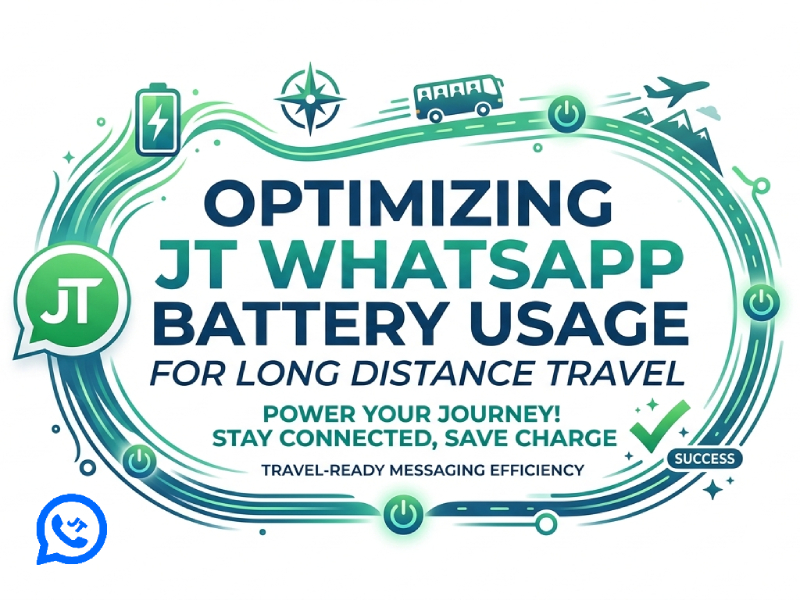
Long-distance travel often means being away from charging stations for extended periods. Whether you’re traveling across the country by train, on an international flight, or heading to a remote area, keeping your phone fully charged is crucial. For users who rely on JT WhatsApp to stay connected with family, friends, or work contacts, applying proper JT WhatsApp battery optimization techniques can make a noticeable difference in how long your device lasts throughout the day. Managing battery consumption effectively helps ensure uninterrupted communication while on the go, especially when access to power is limited and every percentage of charge matters.
This guide will introduce some practical methods to optimize JT WhatsApp battery usage during long trips.
Why JT WhatsApp Can Affect Battery Life
JT WhatsApp is designed to keep users always connected, meaning it remains running even when the app is not open on the screen. It regularly checks for new messages, synchronizes chat data, updates contact information, and manages notifications in the background. These continuously running processes require network access and system resources, which naturally consume battery power, and this effect can also be observed when using JT WhatsApp APK, especially during long periods of background activity.
Battery consumption will be more noticeable during long-distance travel. When a phone switches between different mobile base stations, Wi-Fi networks, or coverage areas, JT WhatsApp must repeatedly reconnect to ensure messages are sent correctly. Each reconnection requires additional power, especially in areas with weak or unstable signals. In this situation, the application may need to work harder to ensure the smooth operation of the communication service.
Media-related activities also increase power consumption. Automatically downloading photos, videos, voice memos, and documents requires network activity, storage space, and processing power. Active group chats generate a lot of notifications and media transmissions, causing the phone to wake up frequently and thus consuming more battery power than expected.
While JT WhatsApp is optimized for everyday communication, understanding the features and habits that contribute to battery drain can help users make smarter adjustments and achieve longer battery life on long trips.
Reduce Automatic Media Downloads
Automatic media downloads may seem convenient, but they can quietly drain battery power during long trips. Every time WhatsApp receives a photo, video, voice message, or document, the app uses network resources and device processing power to download and store the file. This effect is more pronounced when traveling, especially when connected to mobile data rather than a stable Wi-Fi network.
To reduce unnecessary battery usage, consider adjusting your media download settings:
- Disable automatic video downloads
Videos are typically the largest files shared in chats and groups. Preventing automatic video downloads can significantly reduce battery consumption.
- Download photos manually
Many travel and family groups share dozens of photos every day. Manually selecting the photos to download helps avoid unnecessary background activity.
- Limit document downloads
PDF files, presentations, and other documents may not be needed immediately. Downloading only when needed can save battery power and storage space.
- Restrict downloads in large group chats
Active groups typically generate media files continuously. Limiting automatic downloads in these chats can significantly extend battery life on long trips.
By controlling media downloads, JT WhatsApp has fewer background tasks running throughout the day. This simple adjustment can extend battery life and ensure you always have access to important conversations.
Limit Background Activity
Many users run dozens of background applications simultaneously while traveling. While WhatsApp requires some background permissions to send notifications, excessive background activity from other apps can increase overall battery consumption, and users often look for guidance on how to reduce JT WhatsApp battery usage in order to optimize performance without limiting essential messaging features.
Before starting a long trip:
- Close apps you are not using
- Disable unnecessary background refresh
- Turn off unused social media applications
- Limit location-based services
When your phone has fewer background tasks to handle, JT WhatsApp can operate more efficiently.
Manage Notification Settings
Notification features can help you stay informed about new messages, but they can also be one of the hidden killers that drain your battery during long trips. Each time you receive a notification, your phone may activate the screen, play a sound, trigger vibration feedback, and run in the background. If this operation occurs dozens or even hundreds of times a day, the battery life will be significantly shortened.
Group chats are usually the biggest source of frequent notifications. Travel groups, family chats, work discussions, and community groups generate a constant stream of messages, many of which may not require immediate attention. Mute less important conversations to reduce unnecessary distractions and save battery power.
To improve efficiency, consider these notification adjustments:
- Mute inactive or low-priority groups
- Disable notification sounds for non-essential chats
- Turn off vibration for selected conversations
- Use custom notifications only for important contacts
- Reduce pop-up notifications that frequently wake the screen
- Archive chats that rarely need immediate responses
By carefully managing notification settings, JT WhatsApp can keep important conversations responsive during long trips while reducing unnecessary battery drain.
Control Status and Story Viewing
Many users spend a lot of time browsing status updates while traveling.
Each time you check for a status update, you may need to download images, videos, or animations. During long trips, frequently checking status updates can accelerate battery drain.
A practical approach is to check for status updates at specific times, rather than repeatedly opening the feature throughout the day.
This habit can help you save battery power and keep you informed of the latest developments.
Lower Media Sharing Frequency
Travel often inspires people to capture and share every wonderful moment. From picturesque scenery and local cuisine to hotel photos and transportation information, sending dozens of photos and videos in a single day is a breeze. However, each upload requires the phone to process the file, compress the media, and maintain a network connection, all of which consume battery power.
Instead of sending content immediately after shooting, consider saving photos and videos and sharing them at specific times of the day. Sending multiple items at once is generally more efficient than repeatedly opening JT WhatsApp and uploading a single file. This method can also reduce the number of times the device activates mobile data and background synchronization processes.
By reducing upload frequency and developing more regular sharing habits, JT WhatsApp users can stay connected during long trips while using their devices’ battery power more effectively.
Optimize Voice and Video Calls
In JT WhatsApp, voice and video calls are among the most power-consuming activities because they require a continuous internet connection, audio processing, and, in the case of video calls, continuous use of the camera and screen, and this becomes even more noticeable for users who rely on JT WhatsApp for Android no ads during daily communication. During long trips, especially when switching between different network coverage areas, battery consumption will increase further as the phone has to work harder to maintain a stable connection.
To reduce battery consumption, it is recommended to choose voice calls when video calls are not needed. Voice calls typically consume less power while maintaining clear call quality. If you need to make video calls, lowering the screen brightness and avoiding long calls can help extend battery life. Using headphones or headsets can also make calls more comfortable and reduce the need for handheld devices.
For travelers who frequently contact family, friends, or colleagues, controlling call duration and choosing the most suitable call type can significantly improve overall battery life while ensuring smooth and reliable communication during the journey.
Adjust Sync and Backup Timing
Chat history backups can help organize conversations and media files, but they also consume battery power when running in the background. When traveling long distances, a well-planned backup schedule can help JT WhatsApp run more efficiently.
Avoid Frequent Automatic Backups
If backups are set to run multiple times a day, the application may process chat data and media files frequently. Reducing the frequency of backups can help reduce battery consumption during long trips.
Choose the Right Time for Backups
Schedule backups when your phone is charging or when the network connection is stable. This prevents unnecessary power consumption when using the device while on the move.
Limit Large Media Backups
Photos and videos can significantly increase the size of backup files. Excluding unnecessary media files from backups can reduce the amount of processing required and help extend battery life.
Use Stable Connections When Available
Frequent switching of mobile networks during backup operations increases power consumption. Running backups when connected to a reliable network can improve efficiency.
Review Backup Settings Before Traveling
A quick check of backup preferences before setting off can prevent unexpected background activity. This ensures that JT WhatsApp only performs backups when you actually need them.
Keep Storage Organized
Deleting old videos, duplicate images, and useless files can reduce the size of backup files. Smaller backups typically complete faster and consume fewer device resources.
Use Battery Saver Features
Modern smartphones include battery-saving modes that work well alongside JT WhatsApp.
These modes often:
- Reduce background processes
- Limit visual effects
- Lower system activity
- Improve overall battery efficiency
Enabling power-saving features during long trips can significantly extend remaining usage time while ensuring that information functions operate normally.
Final Thoughts
WhatsApp remains an important communication tool for many travelers. By adjusting media downloads, controlling notifications, limiting background activity, and developing smarter usage habits, users can significantly improve battery life during long trips.
Spending a few minutes optimizing your settings before you set off can help keep your conversations flowing smoothly throughout your journey, allowing you to stay connected from departure to arrival without constantly worrying about running out of battery.